Waters Rise for Philips Hue
Light and sound ambience for Forbidden Island board game nights.
About Waters Rise for Philips Hue
Waters Rise turns your Forbidden Island board game nights into a living, breathing atmosphere with Philips Hue lights and sound.
As the water climbs, tiles sink beneath the waves, treasures are claimed and the helicopter roars in for the final escape, your room reacts — lights shift, colors deepen, and sound rises to meet the moment. What used to be tracked silently on cardboard becomes something the whole table can feel.
HOW IT WORKS
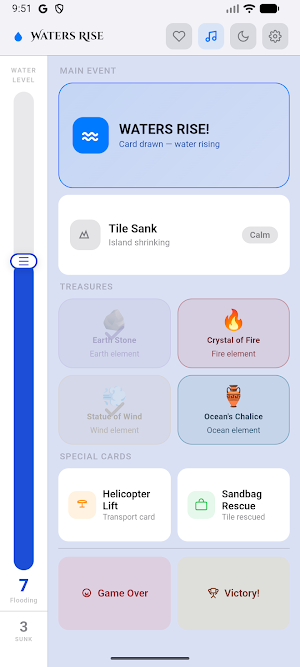
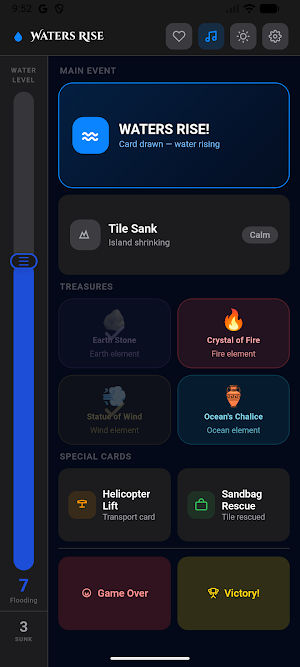
Waters Rise doesn't play the game for you and it doesn't detect anything on its own. You tap an event as it happens at the table — the water rising, a tile sinking, a treasure claimed, a rescue mid-flight — and the room answers instantly with synchronized light and sound. Keeping the trigger in your hands is deliberate: announcing the moment out loud is part of the ritual, and nobody disappears into a screen.
TWO WAYS TO PLAY
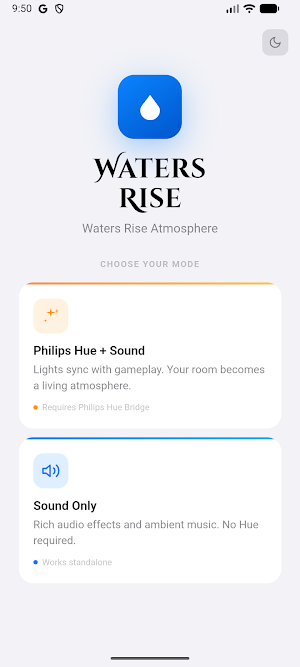
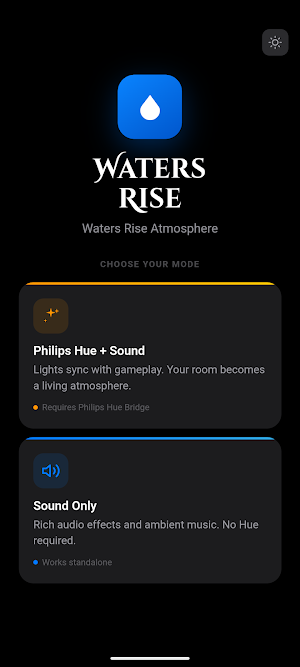
• Light + Sound — connect your Philips Hue Bridge and let the room breathe with the game: rising blues as the tide climbs, warm bursts for each treasure, a cold flicker for the helicopter rescue, and a full color celebration at victory.
• Sound Only — rich ambient audio and effects, no smart lights required.
DESIGNED FOR SHARED PLAY
One shared screen keeps everyone at the table together — no individual phones, no broken immersion. Every trigger becomes a small ritual the whole group experiences at once.
FEATURES
• Water level tracker with named stages: Calm, Rising, Flooding, Submerging, Engulfed, Lost
• Drama stages that escalate as tiles go under: Calm, Tense, Critical, Chaos
• Four treasures, each with its own color and sound cue
• Helicopter Lift and Sandbag effects
• Game Over and Victory light sequences
• Light and dark mode
• No account, no sign-up, no ads
• Works fully offline in Sound Only mode
HOW TO CONNECT
Press the round button on top of your Hue Bridge, then open the app and tap Connect within 30 seconds. The app finds your Bridge on your Wi-Fi automatically — no IP address to type, no account to create. Lighting commands travel directly from your device to the Bridge over your local network. After the first setup the app remembers your Bridge and connects instantly every time.
If the automatic search can't find your Bridge, you can enter its address by hand. Open the official Philips Hue app and go to Settings → Bridges → Hue Bridge, then look at the "IP address" line. Type that address into the IP field in Waters Rise exactly as it appears, and carry on with the setup.
REQUIREMENTS
A Philips Hue Bridge and at least one color-capable Hue light are required for the lighting mode (sold separately). Sound Only mode works on any device.
Note: This app produces dynamic colored lighting effects. If you are sensitive to flashing or changing light, use Sound Only mode.
LEGAL
Waters Rise is an independent app developed and published by Toehn Creative.
Philips and Hue are trademarks of Signify Holding B.V. Waters Rise is not affiliated with, endorsed by, sponsored by, or certified by Signify or Philips.
Forbidden Island is a trademark of its respective owner. Waters Rise is an unofficial, independent companion app — it is not the official Forbidden Island app and is not affiliated with, endorsed by, or sponsored by the game's designer or publisher. The app contains no game rules, cards, artwork or components; you need your own copy of the board game to play.
Similar Apps

Immortal Craft Barber Lounge
Make your next appointment with Immortal Craft Barber Lounge today!
Philips Hue
The official Philips Hue app to control every Hue product in your home.
Hue Essentials
Discover ways to get the most out of your smart lighting.

IFSTA Instructor 9
Study while on the go with Exam Prep, Audiobook, and Flashcards!

PDK Access by ProdataKey
Mobile access, trusted security—unlock doors with your phone.

Solink (legacy)
Cloud-based video security
