About Audio Calc Pad
Audio Calc Pad is a studio utility designed for music producers, audio engineers, and musicians to calculate delay times, measure bar durations, and plan sound settings effortlessly! Determine exact millisecond and second timings based on tempo, adjust time signatures, calculate song length in bars, and save presets for your studio sessions.
MUSIC & TIMING CALCULATIONS
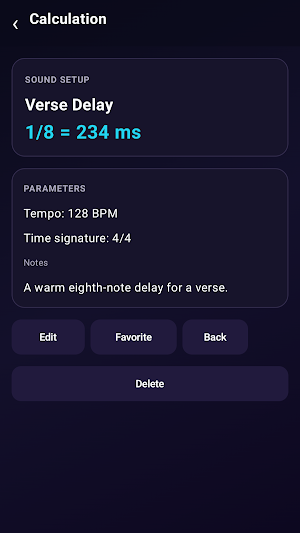
Rhythm & Delay Times: Calculate exact note durations (Whole, Half, Quarter) across Normal, Dotted, and Triplet variants at any BPM.
Bars & Time Calculations: Convert bar counts into exact durations or calculate how many bars fit within a specific time frame in seconds.
Tempo & Time Signatures: Input custom BPM tempos and switch between time signatures including 4/4, 3/4, 6/8, and 5/4.
Quick Calculator: Access an integrated pop-up calculator tool for instant math calculations on the fly.
PRESETS & HISTORY
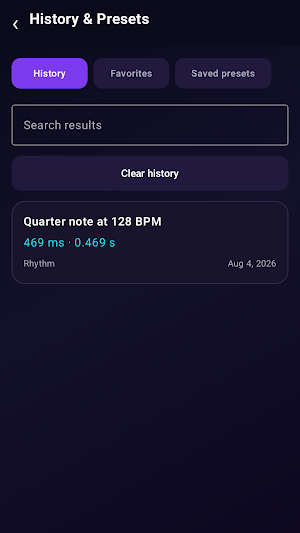
Save Presets & Favorites: Save frequent timing setups as custom presets and mark important calculations as favorites for fast access.
Calculation History: Revisit past timing logs in the History & Presets manager.
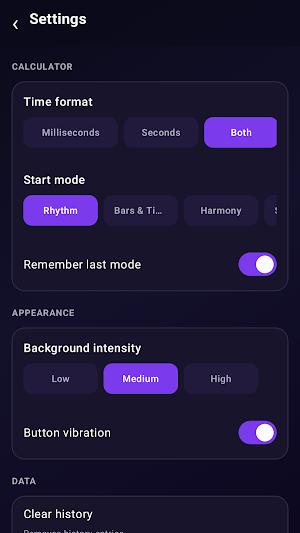
Custom Settings: Tailor time display formats (Milliseconds, Seconds, or Both) and workspace preferences in settings.
Audio Calc Pad details
Audio Calc Pad is a free Music & Audio app for Android with 0+ installs on Google Play. It was last updated on August 10, 2026. It's developed by BRICK LANE BAGELZ CANARY WHARF LTD.
- Category
- Music & Audio
- Installs
- 0+
- Price
- Free
- In-app purchases
- No
- Ads
- No ads
- Requires Android
- Varies with device
- Content rating
- Everyone
- Last updated
- August 10, 2026
- Developer
- BRICK LANE BAGELZ CANARY WHARF LTD
What’s new in Audio Calc Pad
The first public build is here! - Open testing is now available. - Explore the core features and see what we’ve been working on. - We’ll continue improving the experience with future updates. Thanks for joining us early.
Updated August 10, 2026
