About GP-2XX
GP-2XX is a tool app to control the Valeton GP-200 models. The app has four screen.
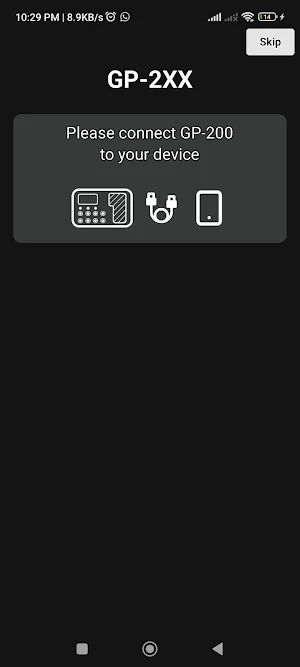
- Home Screen: Has a message to connect your GP-200 device to your android device USB port. Once connected it will automatically sync the app content and once finished, it will route to the next screen. (This process can be skipped by pressing the top white button with label skip, however the shown screen will contain default values and no functionality, since the syncing process was skipped).
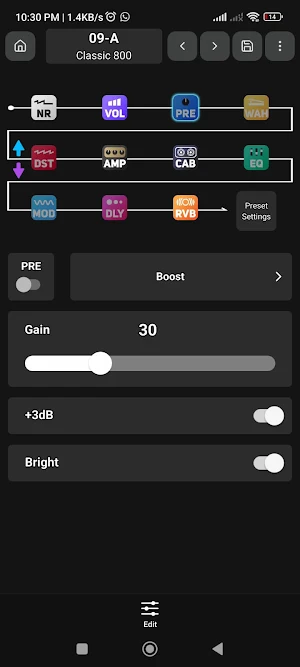
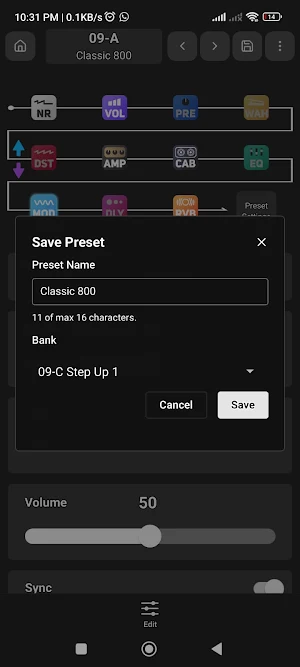
- Edit Screen: This is the main screen of the app, it allow to perform individual patch/preset actions of the GP-200, it consists of the chain effect, which allows to reorder the chain by holding an effect and drag it over it's new positions, also allows to chain the currently selected effect by performing a quick press on the effect icon, once an effect is selected its parameters, and state can be modified by the shown sliders and picker selectors. Additionally the effect can be change by tapping on the effect selector button, changing to the effect select screen. Also a preset settings icon is present in the chain, by tapping on this icon a list of sliders, buttons and picker is shown, to change the general settings of the currently selected preset. The Top bar contains buttons to return to the Home Screen, change current preset, save current preset among other preset actions.
- Effect Select Screen: This screen allow to change the effect module of a selected effect type, by showing a filterable list of available effects. By tapping on an item list the effect module is changed and the user is returned to the Edit Screen. On the Top bar a button to return to the Edit Screen is available in case user does not want to change effect module.
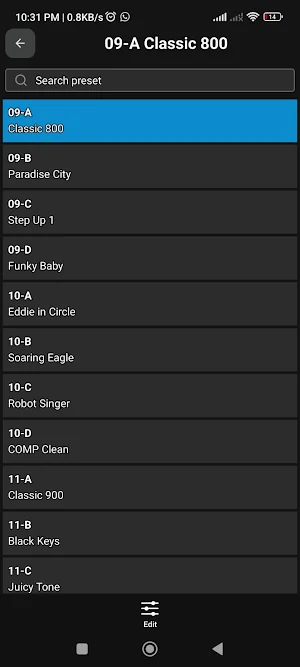
- Preset Select Screen: This screen allows the change the current presets from the 256 available presets (after syncing). By tapping on an item list the current preset is changed to the selected presets and return to the Edit Screen. On the Top bar a button to return to the Edit Screen is available in case user does not want to change the current preset.
Similar Apps

Gerador Números para Loterias
Generate combinations for all 10 Caixa lotteries using 25 different strategies.

LED Scroller – Text & Banner
Scrolling LED text, multi-LED layouts, digital clocks & saveable displays

Installer
ButterflyMX Installer App

WeCast:TV Cast & Screen Mirror
Cast videos, photos & mirror your screen to Smart TVs easily

Sweep: Tracker & Cam Finder
Find trackers that move with you and cameras on your Wi-Fi. No fake tools.

Insight Data
Monitor and limit your mobile data usage — 100% local.