About Aster PDF Tools
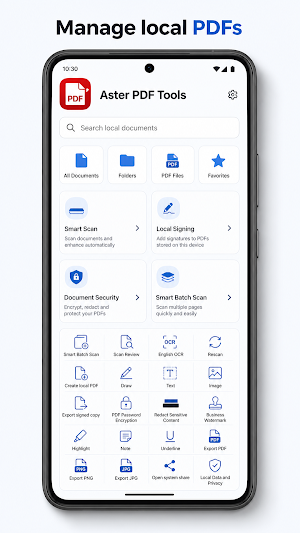
Aster PDF Tools is a local PDF workspace for everyday document tasks. Import a PDF or image, review it, create a new copy, and keep processing on your device.
Key features:
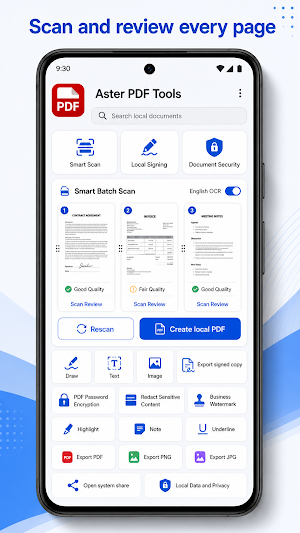
- Smart Batch Scan: capture up to 20 pages, review page order, inspect quality, and create a local PDF.
- English OCR: add a searchable text layer for English and Latin characters when the quality gate passes.
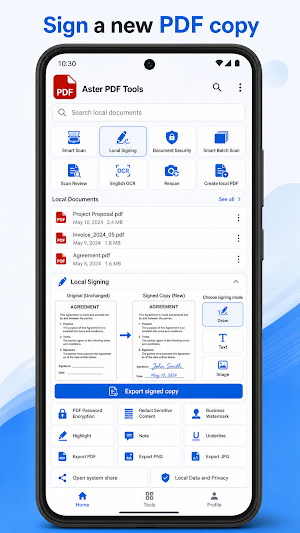
- Local Signing: add a drawn, typed, or image signature and export a separate signed copy.
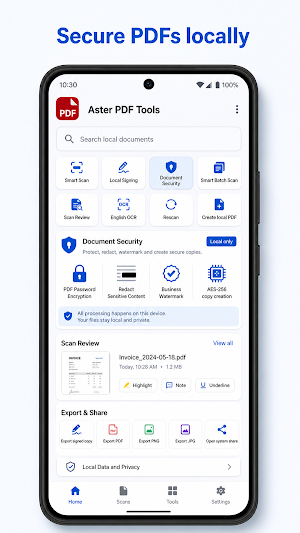
- PDF Password Encryption: create a new PDF protected with AES-256 encryption.
- Redact Sensitive Content: mark areas in the preview and export a flattened copy with the original unchanged.
- Business Watermark: add text to every page and adjust its opacity before creating a new copy.
- PDF viewer: navigate pages, change zoom, and use Highlight, Note, and Underline review tools.
- Export and share: save a document as PDF, PNG, or JPG, or open the Android system share sheet.
Privacy and boundaries:
- Import, scanning, OCR, signing, encryption, redaction, and watermarking are processed on this device.
- Imported files use Android system file access. Generated copies stay in app-private storage until you choose to export or share them.
- The app does not request camera or media permissions directly. Smart scanning is provided by Google Play services, and gallery or file imports use the Android system picker.
- OCR supports English and Latin characters. Documents in other scripts remain image-only and are not advertised as searchable.
- Passwords and signatures are never saved. A signature added by this app is a visual PDF mark, not a certified or legal signature.
No account or cloud sync is required. You choose what to import, review, secure, export, and share.
Similar Apps

PDFelement-PDF Editor & Reader
PDF Editor & AI Scanner: OCR, Convert, Sign, Compress, Merge & Chat PDFs

PDF Reader(KDAN PDF): Edit PDF
The all-in-one document expert for reading, editing & signing PDFs on any device
Mobi PDF・Editor・Scanner・Reader
Read, scan, edit & sign PDFs, OCR, convert PDF to Word, annotate & merge PDFs

HiNotes by HiDock
HiNotes: The AI note-taking app built for your HiDock device.

Dext: Receipt Tracker
Scan receipts and invoices, track expenses, and automate your bookkeeping.
PDF Merge: Scan, Sign & Edit
Merge, Scan, and Sign PDFs 100% Offline. Your data never leaves your phone.
