About Signature Maker : Digital Sign
Signature Maker: Digital Sign is a very convenient and easy-to-use app for creating a Signature of your name. Using the Signature maker: Digital Signature Creator app, you can easily create a stylish digital signature and sign any of your documents digitally. It’s the best document signer app that resolves the problem of printing documents and then signs them. Now you can easily create your name signature with this E-Signature app and paste it on your important documents.
By focusing on the need for online Signatures, we developed this e-signature document signer app. You can sign your pics, docs, and pdf files with this document signer app in just a few clicks. Signature Maker: Digital Sign enables you to sign any of your documents from anywhere, at any time. Signing documents online is never so easy. Now you can digitally sign your documents and emails online with this e-signature app.
Auto Signature:
The auto signature feature of the signature maker allows you to create stylish and fancy signatures by using your complete name. You just need to enter your name in the text box and you will get multiple styles of your digital signature. You can change the font, style, color, size of your e-signatures. Then simply save your digital sign and use it later to sign your docs.
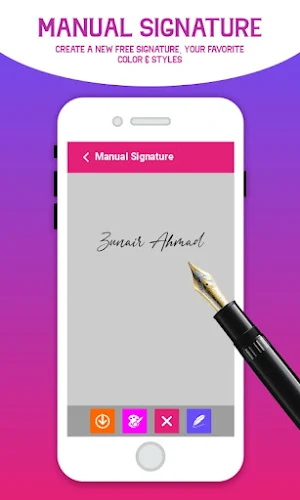
Manual Signature:
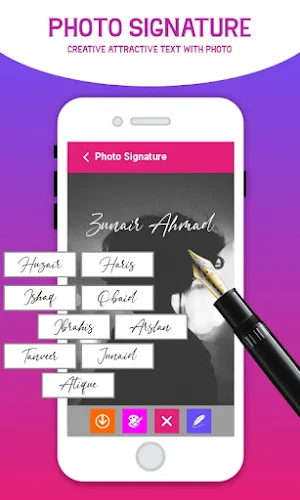
The manual signature feature of the digital sign app allows you to create a unique and stylish signature as per your choice by using your figure. You can use a pen and brush to make your signature more attractive. Digital signer lets you allow to change the color of your manual signature as per your requirements. You can paste your signature on your pictures as well. The signature creator app also gives you the option to change the background of your signatures.
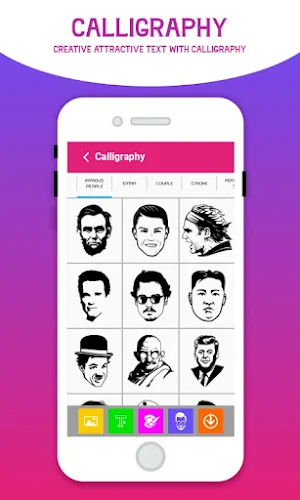
Calligraphy:
It’s the most advanced feature of the signature maker app that makes our digital sign app unique from others. You can use different brushes and pens to create calligraphy signs. This will allow you to choose different backgrounds for your digital signatures. You can also use different images, calligraphy art, emojis, stickers on your signatures to make them more attractive.
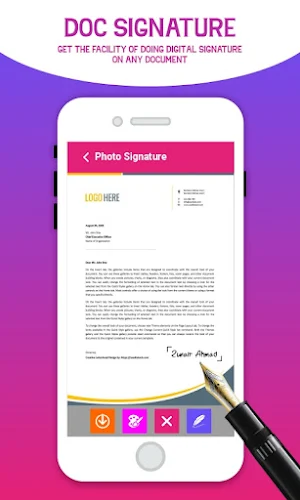
Document Signer:
Signature maker is a digital document signer app that allows you to sign documents online. Now you are capable of doing E-Signatures by using this signature creator app. Create your stylish signatures and simply paste them on your documents. Create your stylish electronic signature with multiple styles, fonts, and colors.
Features:
• Customized signature
• Fancy Signature maker app
• Manual Signature creator app
• Calligraphy Signature
• Stylish Auto Signature
• Manual Signatures
• Different Fonts, Colors & Styles
• E-Signature Maker app
• Sign documents digitally
• Best Document signer
• Print Digital Signature
• Delete and save signatures
• Draw Electronic Sign with pen & Brush
• Name Signature maker
• Handwritten Signatures
• Fingertip stylish signatures
It is the best signature maker app with multiple templates to create your signatures as per your choice. Select your favorite template to create a digital sign and save them to sign your docs digitally.
Install this best document signer app and create your electronic signature in few minutes.
Signature Maker : Digital Sign details
Signature Maker : Digital Sign is a free Personalization app for Android with 100+ installs on Google Play. It was released on October 10, 2021 and last updated on October 10, 2021. It's developed by Giant AppQuest. It requires Android 4.4 or later. The app contains ads.
- Category
- Personalization
- Installs
- 100+
- Price
- Free
- In-app purchases
- No
- Ads
- Contains ads
- Current version
- 1.0
- Size
- 12M
- Requires Android
- 4.4 and up
- Content rating
- Rated for 3+
- Released
- October 10, 2021
- Last updated
- October 10, 2021
- Developer
- Giant AppQuest
What’s new in Signature Maker : Digital Sign
•Customized signature •Fancy Signature maker app •Manual Signature creator app •Calligraphy Signature •Stylish Auto Signature •Manual Signatures •Different Fonts, Colors & Styles •E-Signature Maker app •Sign documents digitally •Best Document signer •Print Digital Signature •Delete and save signatures •Draw Electronic Sign with pen & Brush •Name Signature maker •Handwritten Signatures •Fingertip stylish signatures
Version 1.0 · Updated October 10, 2021
Alternatives to Signature Maker : Digital Sign
Looking for apps like Signature Maker : Digital Sign? Here are 6 similar Android apps on Google Play. The highest rated is SIGN.PLUS - eSign & Fill Docs (4.9/5), and all 6 are free to download.

SIGN.PLUS - eSign & Fill Docs
SIGN.PLUS is a legally-binding electronic signature solution to sign documents on Android...

Sign PDF Documents SIGNply
Sign handwritten digital signatures on PDF documents from your phone or tablet....

Signeasy | Sign and Fill Docs
Signeasy is an easy way to sign documents and send documents for...

Fill: PDF Editor, Sign expert
Fill is the effortless solution for filling, signing and annotating PDF files...

SIGNificant E-Signing Client
SIGNificant provides enterprises with a simple way to sign and return PDF...

Doc Scanner - Scan PDF
Zoho Doc Scanner is the most powerful document scanning app on the...
| App | Rating | Price | Installs | Last updated |
|---|---|---|---|---|
| Signature Maker : Digital Sign | – | Free | 100+ | Oct 10, 2021 |
| SIGN.PLUS - eSign & Fill Docs | 4.9 / 5 | Free | 1,000+ | – |
| Sign PDF Documents SIGNply | 4.4 / 5 | Free | 1,000,000+ | Sep 17, 2026 |
| Signeasy | Sign and Fill Docs | 4.3 / 5 | Free | 1,000,000+ | – |
| Fill: PDF Editor, Sign expert | 4.2 / 5 | Free | 50,000+ | – |
| SIGNificant E-Signing Client | 3.6 / 5 | Free | 500,000+ | Oct 22, 2020 |
| Doc Scanner - Scan PDF | 4.0 / 5 | Free | 50,000+ | – |
