About Virtual Oscilloscope
Virtual Oscilloscope is an application, that helps to make first steps in operating an oscilloscope.
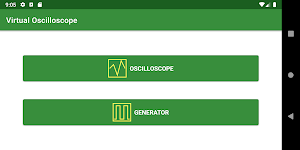
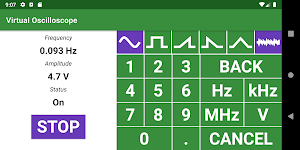
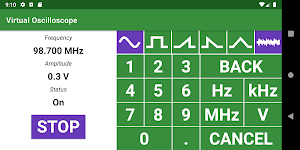
First, click on "Generator" button, which will open generator window. In the generator window select a waveform, set amplitude and frequency of the generated signal.
For better visualization turn the noise ON, since in real world signals noise is usually on.
Click on "Start" button in the generator window and click on "Back" button on your device.
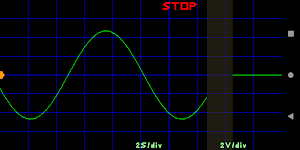
Now click on "Oscilloscope" button and see the generated signal on the screen.
By "Pinch" and "Zoom" horizontal and vertical gestures you can change the volts per division and seconds per division parameters.
You can also move up and down trigger level (a marker on the right), trigger time position (a marker on the top) and signal zero level (a marker on the left).
You can start from here on your own. Just set signal parameters in the generator window and switch to the oscilloscope window to see how this signal is represented on the oscilloscope screen.
And don't warry, it is just an imaginary oscilloscope, so you won't break it!
Similar Apps

Kannada Punjabi Translator
Free translator from Kannada to Punjabi, and from Punjabi to Kannada

Prodigy Test Academy
Prodigy Test Academy app for exam preparation

ASCII Table
An 0-127 Index Of American Standard Code for Information Interchange
Line Tutor - Analytic Geometry
Define line by dragging in coordinate system and observe parameters in equation

চাকরির প্রস্তুতি
Job preparation, recruitment circular helper and query solution

Free Turkish
Everyday expressions of Turkish, with audio, translated into English

