About Menora
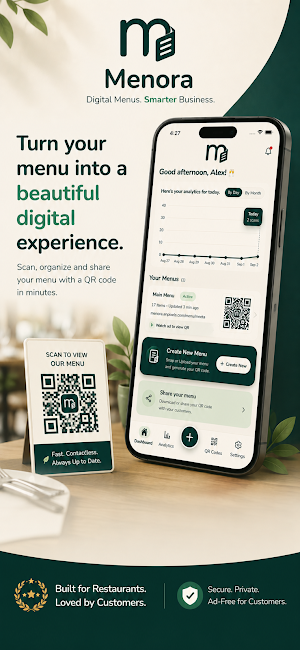
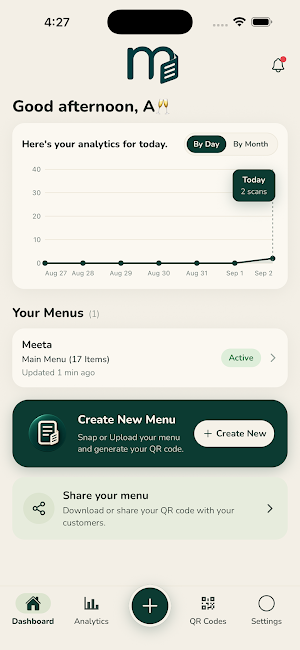
Menora is a digital menu and QR menu platform built for restaurant owners and managers.
Turn an existing paper restaurant menu into a professional digital menu without manually typing every menu item. Take photos of your menu, let Menora extract the information, review and correct the results, customize your menu, and publish it online.
SCAN YOUR EXISTING MENU
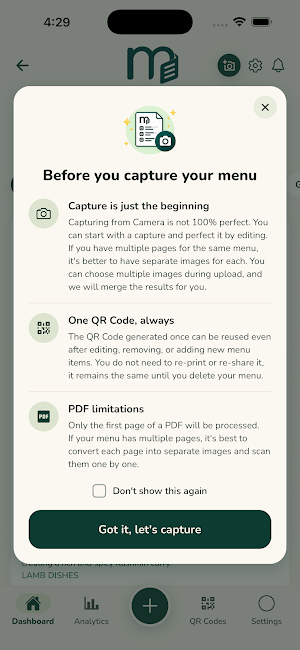
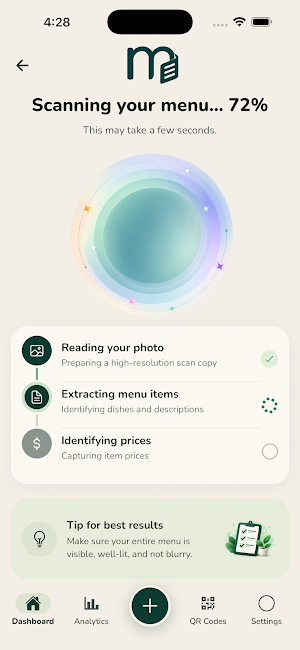
Use your phone's camera to take photos of your physical menu. Menora uses OCR technology to extract menu information and organize it into a structured digital menu. OCR may not be perfect, so Menora gives restaurant owners full control to review and correct the information before publishing.
REVIEW AND EDIT YOUR MENU
After your menu is scanned, you can make changes before publishing.
You can manage:
• Edit menu item names
• Change prices
• Add or remove menu items
• Create and organize categories
• Add or edit descriptions
• Add photos
• Add food attributes
ADD PHOTOS AND DESCRIPTIONS
Add photos of dishes, edit descriptions, or leave items simple with just the name and price.
FOOD ATTRIBUTES
Add structured food attributes to menu items, including:
• Vegetarian
• Vegan
• Meat
• Spicy
These attributes help organize menu information and provide a foundation for better menu search and filtering.
RESTAURANT INFORMATION
Create a branded digital menu for your restaurant:
• Restaurant name
• Restaurant logo
• Website
• Phone number
• Email
• Opening hours
DIGITAL MENU AND QR CODE
Once your menu is ready, Menora creates a QR code connected to your restaurant's digital menu.
Print the QR code and place it on restaurant tables, counters, windows, takeout areas, or other customer-accessible locations.
Customers can scan the QR code using their phone's normal camera and open your menu in their web browser.
They don't need to download Menora or create an account.
ONE QR CODE THAT STAYS UPDATED
Your QR code connects to your restaurant's digital menu rather than storing the menu itself. That means you can update your menu without creating a new QR code. Change a price, add a dish, remove an item, update a description, or add a photo. After publishing the changes, customers scanning the existing QR code can see the updated menu.
No need to replace the printed QR code every time your menu changes.
SEARCHABLE RESTAURANT MENU
Menora creates structured menu information so customers can browse categories and search for menu items.
A customer searching for "chicken," for example, can find matching dishes such as Chicken Wings, Chicken Alfredo, Chicken Tikka Masala, or Chicken Sandwich. The goal is to make restaurant menus easier to browse than a static image or PDF.
BUILT FOR RESTAURANT OWNERS AND MANAGERS
Sign in with Google to manage your restaurant and digital menu.
Restaurant owners and managers can return to Menora whenever they need to:
• Update prices
• Add or remove dishes
• Edit descriptions
• Add or remove photos
• Change categories
• Update food attributes
• Update restaurant information
• Update the restaurant logo
• Republish the menu
A SIMPLE EXPERIENCE FOR YOUR CUSTOMERS
Customers don't need:
• The Menora app
• An account
• A login
• An installation
They simply scan the restaurant's QR code and open the digital menu in their browser. The customer-facing menu is designed to stay clean and focused on the restaurant's food.
FREE TO GET STARTED
Menora is free to get started, giving restaurant owners an easy way to create their first digital menu and QR code.
The focus is simple: help restaurants move from a physical menu to a searchable digital menu without having to recreate the entire menu manually.
For restaurant owners:
Don't type your menu again.
For customers:
Scan and see the menu directly in browser, no need to Download the app.
Menora
A simple way to create, manage, and publish a digital restaurant menu with a QR code.
Similar Apps

Case Tracker – Immigration
Real-time immigration updates and tools for your USCIS journey

Hair Salon: Makeup & Nails
Style hair, makeup, nails and outfits in a fun fashion makeover game.
Birdly AI
Identify birds instantly with AI. Snap a photo and discover fascinating facts.
Kids Games 3–5 No WiFi
Fun educational dinosaur games for kids ages 3–5. Play offline!

Pujari
Book and communicate with a Pujari for your religious events. Simple scheduling
