Image Tools Hub
Compress, resize, crop, convert formats & edit images easily in high quality!
About Image Tools Hub
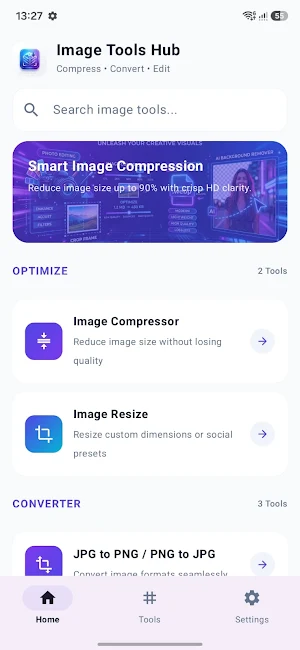
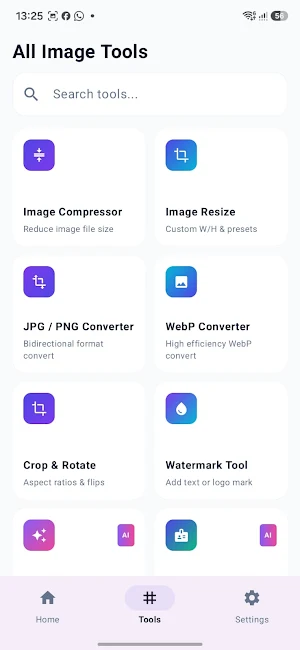
Image Tools Hub is your all-in-one, powerful photo editor and image utility app. Easily compress photo sizes, resize dimensions, crop with precision, remove backgrounds, convert between JPG, PNG, and WebP, create passport-sized photos, and add watermarks—all within a fast, private, and modern interface.
Whether you need to reduce image file size for job application forms, resize pictures for social media, or convert formats without losing quality, Image Tools Hub has you covered.
━━━━━━━━━━━━━━━━━━━━━
🌟 KEY FEATURES
━━━━━━━━━━━━━━━━━━━━━
🔹 Photo Compressor (Reduce File Size)
• Compress images by up to 90% with minimal quality loss.
• 3 smart compression modes: High Quality, Balanced (Medium), and Max Compression.
• Live file size comparison showing original vs compressed size in KB/MB.
• Target specific file size requirements for online uploads.
🔹 Image Resizer & Scaler
• Resize photo resolution by percentage (25%, 50%, 75%) or custom dimensions (Width x Height).
• Lock aspect ratio to prevent stretching or distortion.
• Perfect for Instagram posts, YouTube thumbnails, and website optimization.
🔹 Crop & Rotate
• Crop images with preset aspect ratios: 1:1 (Square), 4:3, 16:9, 3:4, and 9:16.
• Freeform custom crop mode with intuitive grid alignment.
• 90-degree fast rotation and orientation adjustment.
🔹 Image Format Converter
• Convert PNG to JPG / JPEG.
• Convert JPG to PNG (with transparency support).
• Convert any image to modern WebP format for fast web loading.
• High-speed conversion while preserving metadata and color accuracy.
🔹 Passport Photo Maker
• Create professional passport and ID photos in standard sizes: 2x2 inches, 35x45 mm, 30x40 mm, and 50x50 mm.
• Add clean white, light blue, or light gray studio backgrounds.
• Print-ready output for visa, passport, and official ID documents.
🔹 AI Background Remover
• Automatically detect subjects and remove backgrounds in one tap.
• Export transparent PNGs for graphic design, logos, or e-commerce products.
🔹 Watermark & Branding
• Protect your original photos with custom text watermarks.
• Customize text size, opacity, font color, and corner placement.
🔹 Recent History & Quick Share
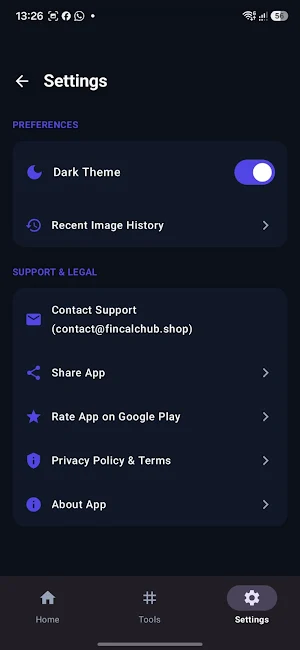
• View all previously edited photos in the Recent History tab.
• Save directly to your Gallery or share instantly via WhatsApp, Email, Instagram, and more.
━━━━━━━━━━━━━━━━━━━━━
🔒 PRIVACY & SECURITY FIRST
━━━━━━━━━━━━━━━━━━━━━
• 100% On-Device Processing: Your photos never leave your phone without your permission.
• No login or account required to start editing.
• Clean, lightweight, and battery-friendly.
Download Image Tools Hub today and optimize your photos effortlessly!
