Veeoo - Ai Video Maker
Turn any photo into a real video. Cinematic motion in a couple of minutes.
About Veeoo - Ai Video Maker
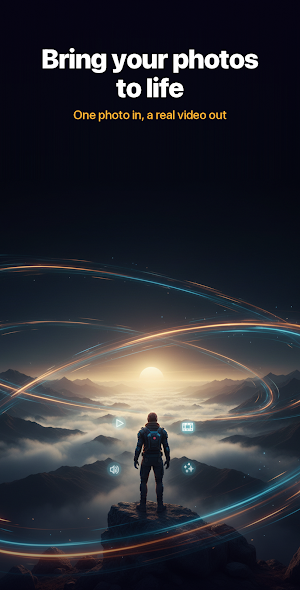
Turn a still photo into a video that actually moves.
Pick a photo, describe what should happen, and get back a short cinematic
clip. No timeline, no keyframes, no editing skills. The app walks you
through five short steps and handles the rest.
HOW IT WORKS
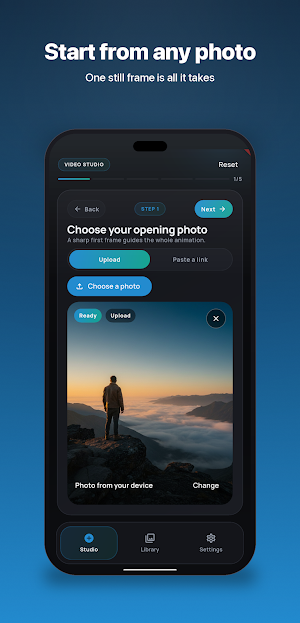
1. Choose your opening photo, from your gallery or a link.
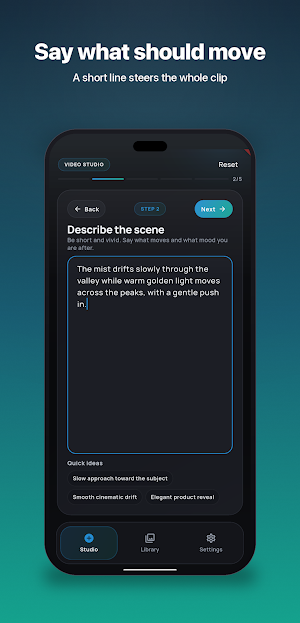
2. Describe the scene in one line. Say what moves and the mood you want,
for example "slow push in, drifting mist, warm golden light".
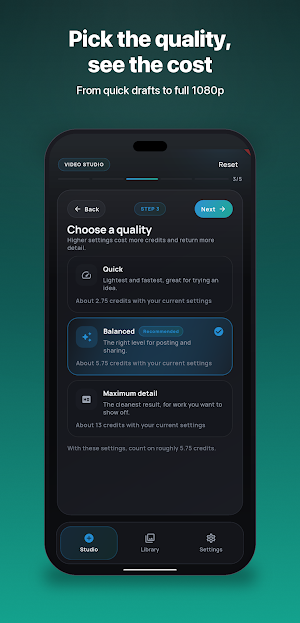
3. Pick a quality, set the length, and start. Your video is usually ready
in a minute or two.
WHAT YOU CAN DO
Bring old photos back to life, with movement that feels filmed rather than
animated.
Give products, interiors and food shots a slow, premium camera move.
Turn a single frame into vertical content for short form feeds.
Add gentle motion to travel, family and everyday memories.
CAMERA MOVES THAT LOOK DIRECTED
Choose a soft drift for calm scenes, a bold move for something that grabs
attention, or a measured cinematic rhythm with proper framing. You can also
describe your own camera path in your own words.
CONTROL WHAT YOU GET
Three quality levels, from a quick draft to full 1080p.
Lengths of 5, 8 or 10 seconds.
Optional sound on the videos that support it.
A seed number, so you can get a very similar result again.
The credit cost of every setting is shown before you start, so nothing is a
surprise.
YOUR VIDEOS, KEPT TOGETHER
Every finished video stays in your library. Play it, save it to your photos,
or share it anywhere in one tap.
