About CRBT Card Control
Cedar Rapids Bank & Trust helps protect your debit and credit cards by sending transaction alerts and giving you the ability to define when, where and how your cards are used. Simply download the app to your smartphone, then customize your alert preferences and usage settings to monitor and manage your cards.
Alerts Ensure Safe, Secure Card Usage
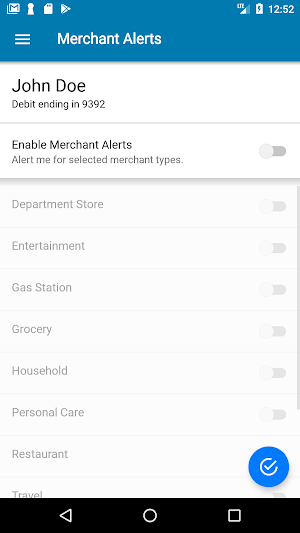
Alerts for PIN and Signature transactions can be set up to keep you informed of your debit and credit card usage and help you quickly detect unauthorized or fraudulent activity. The app can send an alert when a card is used or when a transaction has been attempted but is declined – and additional customizable alert options are available. Alerts are immediately after a transaction has taken place.
Location Based Alerts and Controls
The My location control can restrict transactions to merchants located within a certain range of your locations using your phone’s GPS, transactions requested outside the specific range can be declined. The My Region control uses city, state country or zip code on an expandable interactive map, transactions requested by the merchants outside of a specific region can be declined.
Usage Alerts and Controls
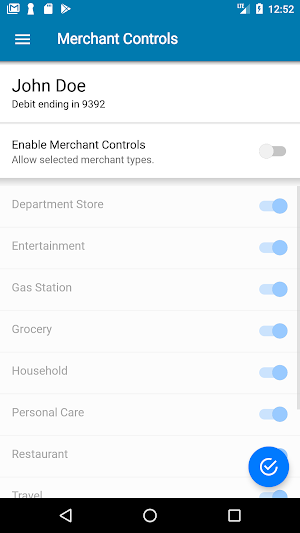
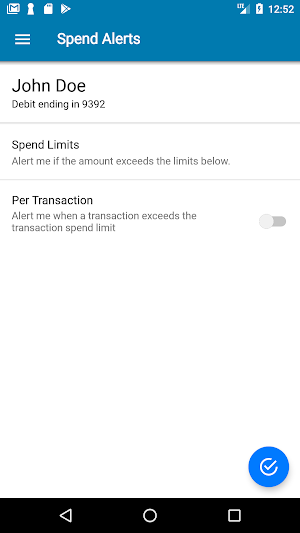
Spending limits can be established to allow transactions up to a certain dollar value and decline transactions when amounts exceed your defined thresholds. Transaction can be monitored and managed for specific merchant categories such as gas stations, department stores, restaurants, entertainment, travel and groceries. And you transaction can also be monitored for specific transaction types in store purchases, e-commerce transactions, mail/phone orders and ATM transactions.
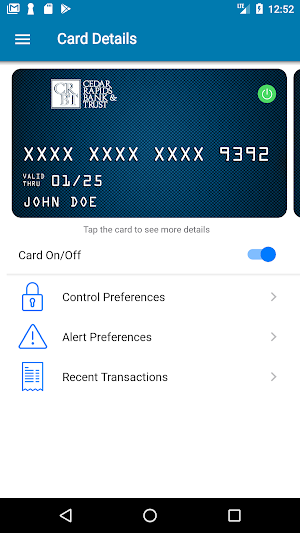
Card on/off Setting
When the card is “on” transactions are allowed in accordance with your usage settings. When the card is “off” no purchase or withdrawals are approved until the card is subsequently turned back to “on”. This control can be used to disable a lost or stolen card, prevent fraudulent activity.
Similar Apps

Cedar Rapids Bank – Personal
CRBT Personal Mobile Banking allows you to access your accounts via your...

Community Bank – Personal
CBT Personal Mobile Banking allows you to access your accounts via your...

Cedar Rapids Bank - Business
Our mobile banking application allows you to check balances, transfer funds, view...
CBT Card Control
Community Bank & Trust helps protect your debit and credit cards by...

Cedar Rapids Bank Business Dep
Quickly deposit checks electronically; anytime and anywhere.Our Business Mobile Remote Deposit app...

Community Bank Business Deposi
Quickly deposit checks electronically; anytime and anywhere.Our Business Mobile Remote Deposit app...