Arduino Bluetooth Automation
Control five devices connected to controllers using bluetooth using this App
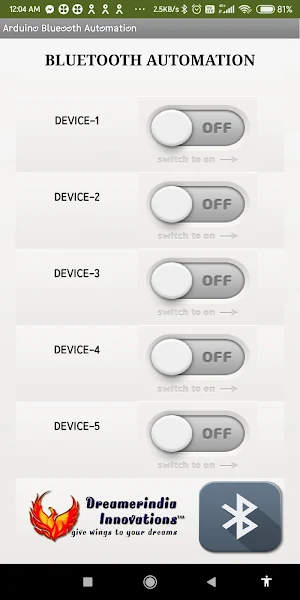
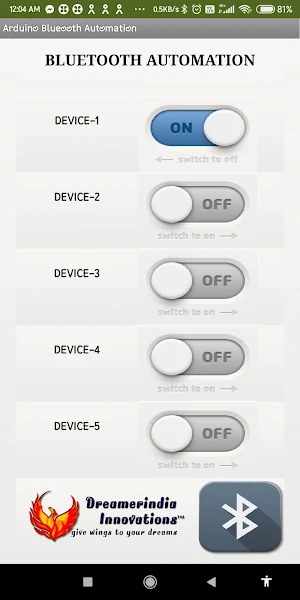
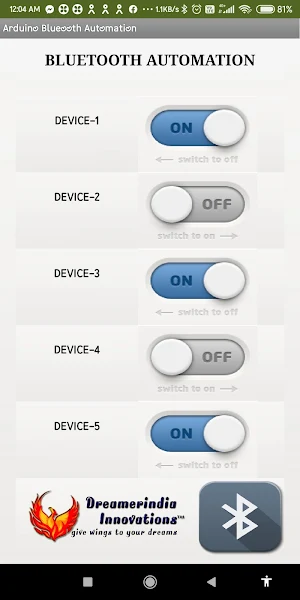
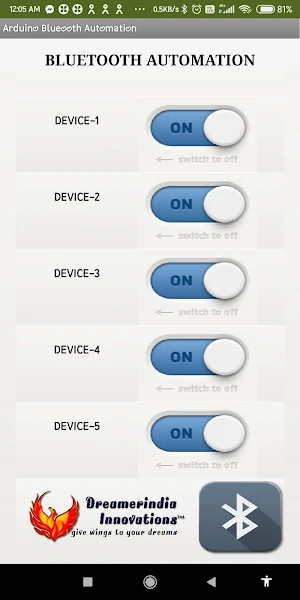
About Arduino Bluetooth Automation
Arduino Bluetooth Automation is used to control the five devices connected to the controllers like Arduino or any other controller wireless using Bluetooth module.
When each button is pressed, corresponding button number value will be sent along with on/off values. For example, if switch ON button 1 then 11 will be sent if you switch OFF button 1 then 10 will be sent. Other values are given below.
Switch 1 ON - 11 Switch 1 OFF - 10
Switch 2 ON - 21 Switch 1 OFF - 20
Switch 3 ON - 31 Switch 1 OFF - 30
Switch 4 ON - 41 Switch 1 OFF - 40
Switch 5 ON - 51 Switch 1 OFF - 50
Example Arduino Code with LCD is given below:
#include "Arduino.h"
#include
#include
#include
const int output1 = 6, output2 = 7, output3 = 8, output4 = 9;
const int input1 = 14, input2 = 15;
String data;
LiquidCrystal lcd(12, 11, 5, 4, 3, 2);
SoftwareSerial mySerial(9, 10);
SimpleTimer timer;
void repeatMe() {
lcd.setCursor(0, 1);
if(digitalRead(input1) && digitalRead(input2)){
mySerial.print("00");
lcd.print("IN1:NO , IN2:NO ");
}
else if(!digitalRead(input1) && digitalRead(input2)){
mySerial.print("10");
lcd.print("IN1:YES, IN2:NO ");
}
else if(digitalRead(input1) && !digitalRead(input2)){
mySerial.print("01");
lcd.print("IN1:NO , IN2:YES");
}
else if(!digitalRead(input1) && !digitalRead(input2)){
mySerial.print("11");
lcd.print("IN1:YES, IN2:YES");
}
}
void setup() {
Serial.begin(9600);
mySerial.begin(9600);
timer.setInterval(5000, repeatMe);
Serial.println("System Started....");
pinMode(output1, OUTPUT);
pinMode(output2, OUTPUT);
pinMode(output3, OUTPUT);
pinMode(output4, OUTPUT);
pinMode(input1, INPUT_PULLUP);
pinMode(input2, INPUT_PULLUP);
lcd.begin(16, 2);
lcd.setCursor(0, 0);
lcd.print("BLUETOOTH SYSTEM");
}
void loop() {
timer.run();
serialEvent();
}
void serialEvent() {
while (mySerial.available()) {
delay(10);
char c = mySerial.read();
if (c == '#') {
Serial.println(data);
break;
}
data += c; //Shorthand for data = data + c
}
if (data.length() > 0) {
if (data == "10") {
digitalWrite(output1, LOW);
lcd.setCursor(0, 0);lcd.print("1:N,");
} else if (data == "11") {
digitalWrite(output1, HIGH);
lcd.setCursor(0, 0);lcd.print("1:Y,");
} else if (data == "20") {
digitalWrite(output2, LOW);
lcd.setCursor(4, 0);lcd.print("2:N,");
} else if (data == "21") {
digitalWrite(output2, HIGH);
lcd.setCursor(4, 0);lcd.print("2:Y,");
} else if (data == "30") {
digitalWrite(output3, LOW);
lcd.setCursor(8, 0);lcd.print("3:N,");
} else if (data == "31") {
digitalWrite(output3, HIGH);
lcd.setCursor(8, 0);lcd.print("3:Y,");
} else if (data == "40") {
digitalWrite(output4, LOW);
lcd.setCursor(12, 0);lcd.print("4:N.");
} else if (data == "41") {
digitalWrite(output4, HIGH);
lcd.setCursor(12, 0);lcd.print("4:Y.");
}
data = "";
}
}
Similar Apps

Banking Interview Questions
80+ Banking interview questions: Excel in interviews with this app.

LINQ Interview Question
40+ Linq interview questions: Excel in interviews with this comprehensive app.

FASTMIND Abaco soroban digital
Es un ábaco digital

Advigs Academy
Advigs Academy app for exam preparation

Samsung Printer Setup Guide
How to set up Samsung Xpress Printer
Burmese To Greek Translator
Burmese To Greek Translator for Text,Voice,Image from gallery & camera
