About PicShape — A Shape Collage Maker
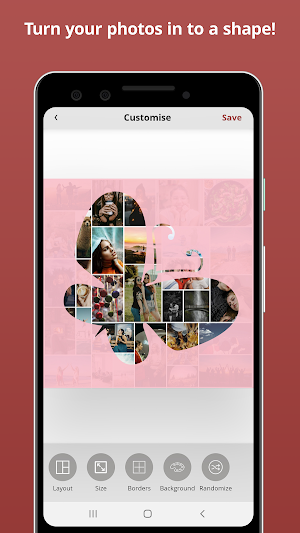
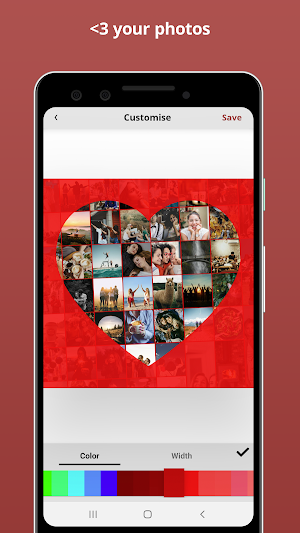
Make a collage as a shape with PicShape! Choose from an inventory of 30+ photo shapes (like tree shape, heart shape etc.), then use an unlimited amount of your own photos to bring it all together.
To create a shape collage, the steps are this simple:
1) Choose which shape you'd like to use 🧡
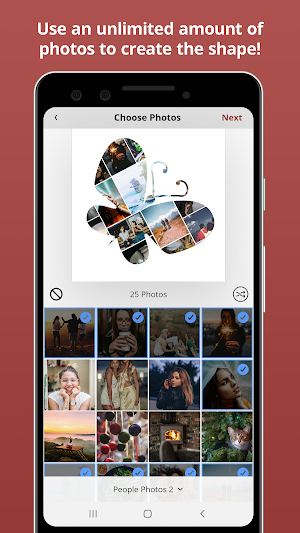
2) Select an unlimited amount of photos to make up your collage 🖼
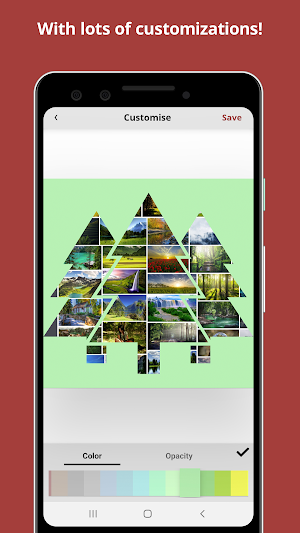
3) Apply effects to your creation ✨
4) Save and share with friends! 🙋♀️
**FEATURES**
* Choose as many photos as you wish to make photo shape collage
* Add more than 50, 100, 200+ photos!
* Add borders between photos in the shape
* Choose background colors
* Rotate, zoom and re-position the photos the make up the shape
* Choose from a grid layout or the unique mashup collage layout
* Super High Resolution saving
* Download and start building your shape collage immediately. No signup or account required.
PicShape — A Shape Collage Maker details
PicShape — A Shape Collage Maker is a free Photography app for Android with 10,000+ installs on Google Play and a 5.0/5 average rating from 1 rating. It was released on January 23, 2020 and last updated on January 23, 2020. It's developed by Viverit. It requires Android 5.0 or later. The app contains ads and offers in-app purchases.
- Category
- Photography
- Rating
- 5.0 / 5 (1 rating)
- Installs
- 10,000+
- Price
- Free
- In-app purchases
- Yes
- Ads
- Contains ads
- Current version
- 1.0.5
- Size
- 6.1M
- Requires Android
- 5.0 and up
- Content rating
- Everyone
- Released
- January 23, 2020
- Last updated
- January 23, 2020
- Developer
- Viverit
Similar Apps

ScrapBook Collage Maker
ScrapBook Collage Maker - Photo Scrapbook can be applied to the personalized...

Collage Maker
The easiest way to create a collage with your photos even if...

Phototastic Collage Maker
A completely ad-free app, Phototastic Collage Maker, lets you turn your pictures...